Commerce | Sell on Instagram
How to Sell on Instagram (2026): Step-by-Step Guide
 Jean Ronin
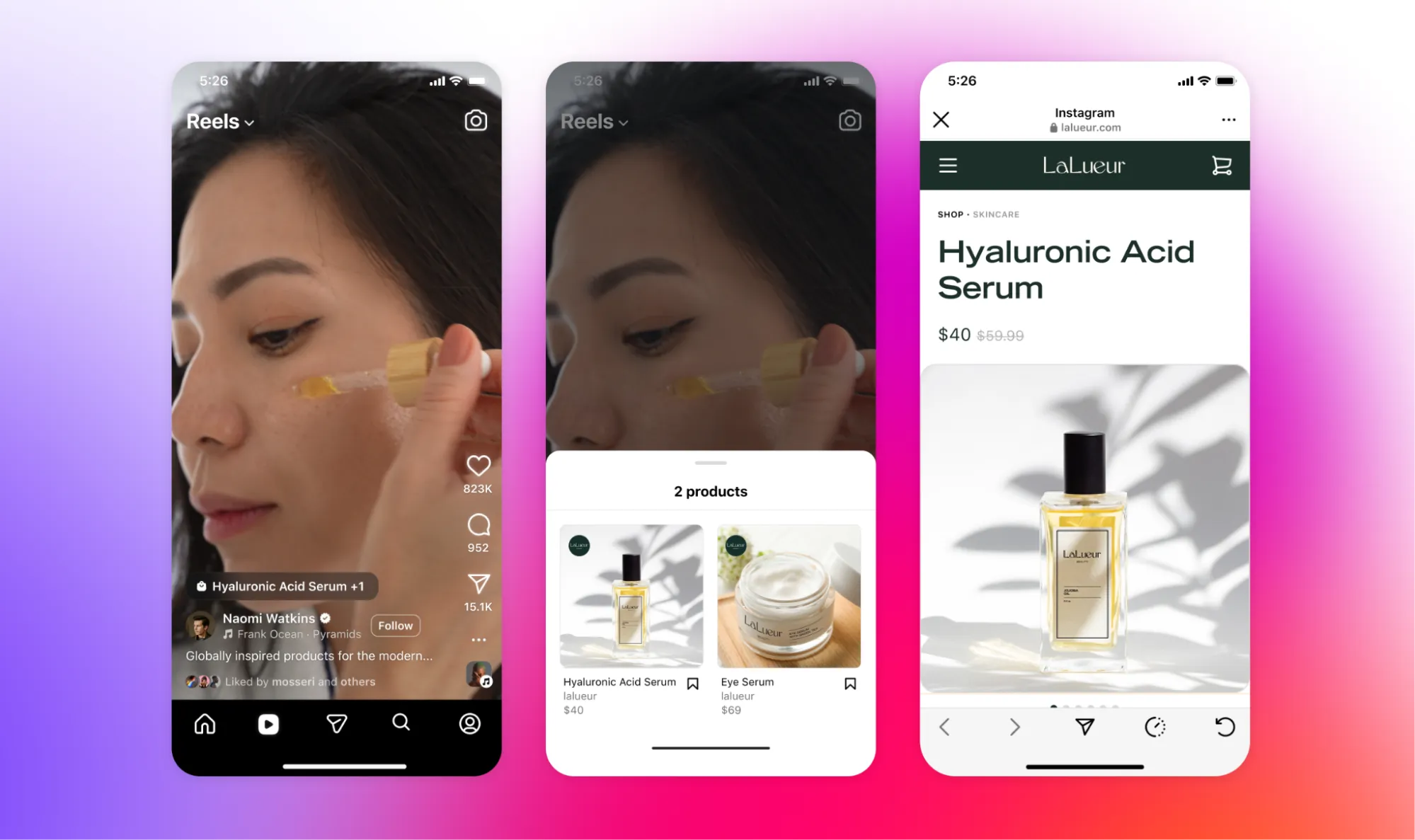
Instagram is where people discover what you sell, but it's no longer where they pay. Since September 2025, Instagram Shops send buyers to a website to check out, so the sale happens on a page you choose: a link-in-bio store, a payment link sent in a DM or a booking page.
If you're wondering how to sell on Instagram today, that choice is the real question. This guide covers what changed, what to set up, how to sell in DMs and when to automate them with auto-DM, and what each way of getting paid costs.
Can you still sell directly on Instagram?
Not all the way. According to Meta's Business Help Center, since September 2025 Shops on Facebook and Instagram use website checkout:
- Payment processing is discontinued for Shops: you can no longer take transactions in your Shop.
- Order management is discontinued for orders placed after the migration. You manage orders and returns on your own website or connected ecommerce platform.
- Meta no longer handles chargebacks or disputes for Shops.
You can still show products on Instagram and tag them in posts. But the buyer pays on your website or on another checkout, so selling on Instagram now means choosing where that checkout lives.
What you need before you start
- The right account. For an Instagram shop, Meta asks for an Instagram business account in your business portfolio. To sell from your bio link and DMs you don't need a shop, but the tools you connect may have their own requirements.
- A place that takes payment. Your own website, a link-in-bio store, a payment link or a booking page.
- Something to sell, with a clear price. One product, service or ticket that people can understand and buy without asking questions.
Instagram Shop and product tags: when they make sense
An Instagram shop lets you tag products in your content, with the checkout on your own site. Instagram's help page lists the setup in Commerce Manager:
- Create a Commerce Manager account.
- Set up and create your shop, then check your shop info.
- Optimize your catalog.
- Set a shipping profile.
- Add your checkout URL, the page on your website where customers pay.
- Optimize and publish.
The checkout URL is required for the shop to be visible, and so is an Instagram business account in your business portfolio. Shops are available in supported countries, listed on Meta's page.
A shop makes sense for brands that already have a website with a checkout. It isn't the only route: if you don't have a website, the next two options get you paid without one.
Sell from your link in bio
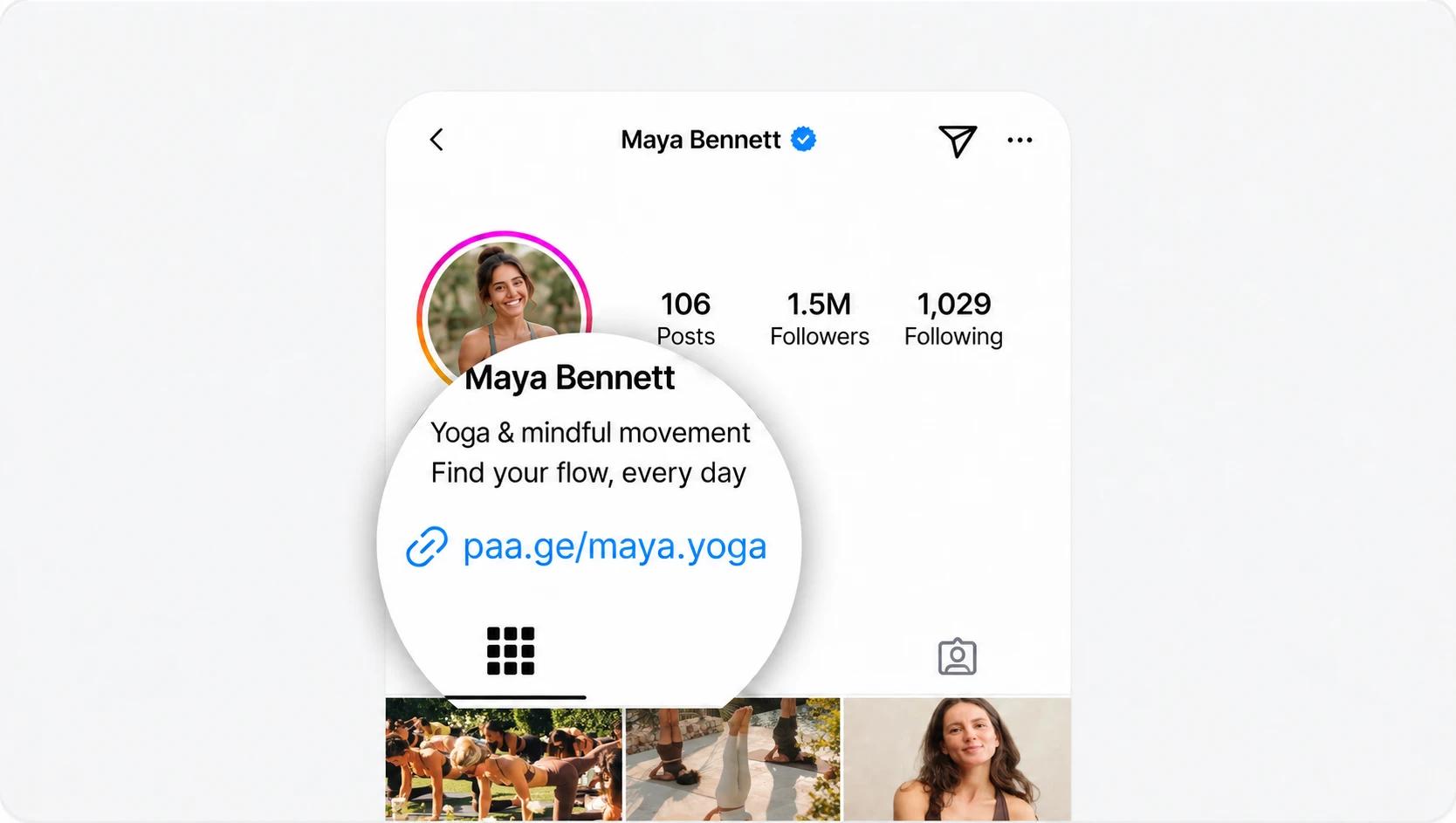
Your bio link is the one place on your profile where people can click through to buy. Treat it as a storefront, not a list of links: a page that sells your products, takes bookings or sells tickets.
What to put first:
- Your main offer at the top, with its price and a buy button.
- One line on what the buyer gets and how it's delivered.
- Everything else below: other products, your booking calendar, upcoming events, your email sign-up.
The bio itself does the rest of the work. Our guide on how to craft an Instagram bio that stands out covers the words, and how to make a custom landing page for your Instagram bio covers the page behind the link. To compare platforms, see our guide to the best link-in-bio tools for selling products.
Sell in DMs, and when to automate them
DMs are where buyers ask questions before they buy. You don't need a website to close the sale there: reply with a payment link and the buyer pays through it.
Once the same questions keep coming back, automate the repetitive part first:
- Frequently asked questions: price, delivery, sizes, availability.
- Comment-to-DM delivery: someone comments a keyword, and the link arrives in their DMs.
- Welcome messages for new followers or first-time messages.
- Resource delivery: a free guide or sample sent on request.
- Follow-up for people who asked but didn't buy.
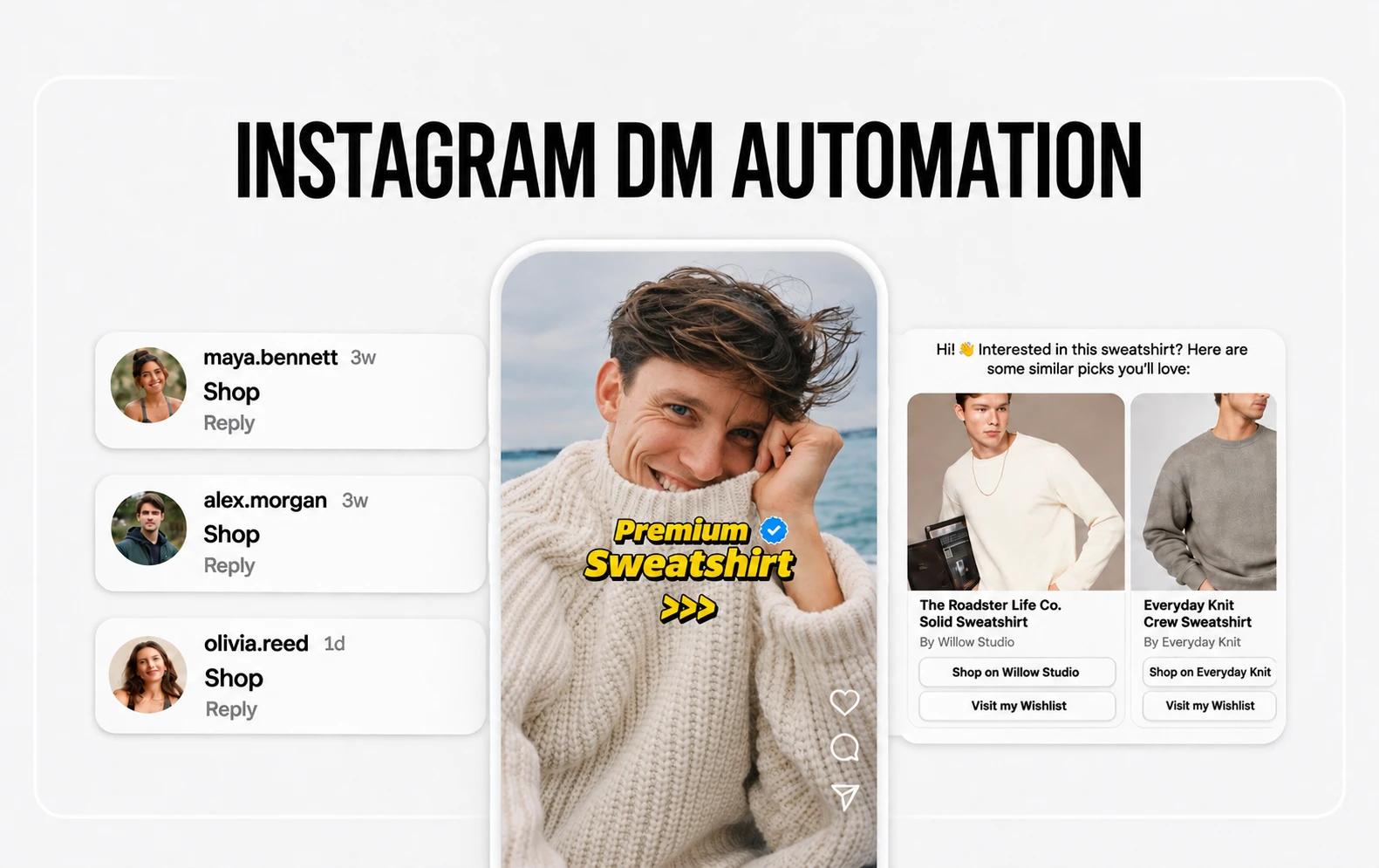
Keep a human handoff. Automation answers the simple questions fast; a custom order, a complaint or a hesitant buyer still needs you.
Posts, Reels and Stories that sell
- Show the product or the result. The thing itself, in use, or what changes for the buyer.
- One call to action per post. "Comment GUIDE" or "Link in bio," not both plus a discount code.
- A keyword the viewer can comment. It's easy for the viewer, and with auto-DM it delivers the link automatically.
- Repeat what sells. Turn the posts that bring questions into a series.
Auto-DM: turn comments into sales
Auto-DM works on a simple rule: a trigger sends a DM. The most common trigger is a keyword in a comment. You post a Reel that says "Comment PRICE," and everyone who does gets a DM with the link to the product. The viewer doesn't have to find your bio, and you don't have to answer each comment by hand.
Several tools offer it, and they differ on triggers, what the DM can send and the monthly limit:
| Instagram auto-DM | Linktree | Beacons | Stan Store | ManyChat | Paage |
|---|---|---|---|---|---|
| Auto-DM feature | Yes | Yes | Yes | Yes | Yes |
| On the free plan | Yes | Yes | Creator plan, $29 a month | Yes | Yes |
| Comment keyword trigger | Yes | — | — | — | Yes |
| Other triggers: a message, story replies, new followers | — | — | — | — | Yes |
| Sends a product link or a payment link | Yes | — | — | — | Yes |
| Monthly limit | Free 1,000 · Starter 1,500 · Pro 2,500 · Premium unlimited | — | — | Priced by active contacts: 25 on Free, 2,500 on Pro ($29 a month) | Free 1,000 · Basic 1,500 · Plus 2,500 · Pro unlimited |
| Instagram and TikTok shop integration | — | — | — | — | Yes (Plus and Pro) |
Sources: Linktree's auto-reply help article, Beacons, Stan's plan comparison, ManyChat pricing and, for Paage's shop integration, Paage plans.
What each one does, in short:
- Linktree's Instagram auto-reply sends a DM with a link to people who comment on a post or reel. You pick a specific post or reel, all of them, or the next one, and any comment or only chosen keywords. The DM can link to a product or collection in your Linktree shop, a link on your Linktree or a new URL, and it can post up to four public replies to comments. "Smart match," "all posts or reels" and "next post or reel" are on Pro and Premium, and the Instagram account needs to be public.
- Beacons lists "Smart Reply Auto-DMs" among its Free Forever features.
- Stan Store includes Stan AutoDM in its Creator plan, at $29 a month or $300 a year.
- ManyChat is a separate tool that works with your Instagram account. It's priced by active contacts, the real people you interact with in a monthly billing period: 25 on Free, 2,500 on Pro at $29 a month.
Paage: how to sell on Instagram from one link
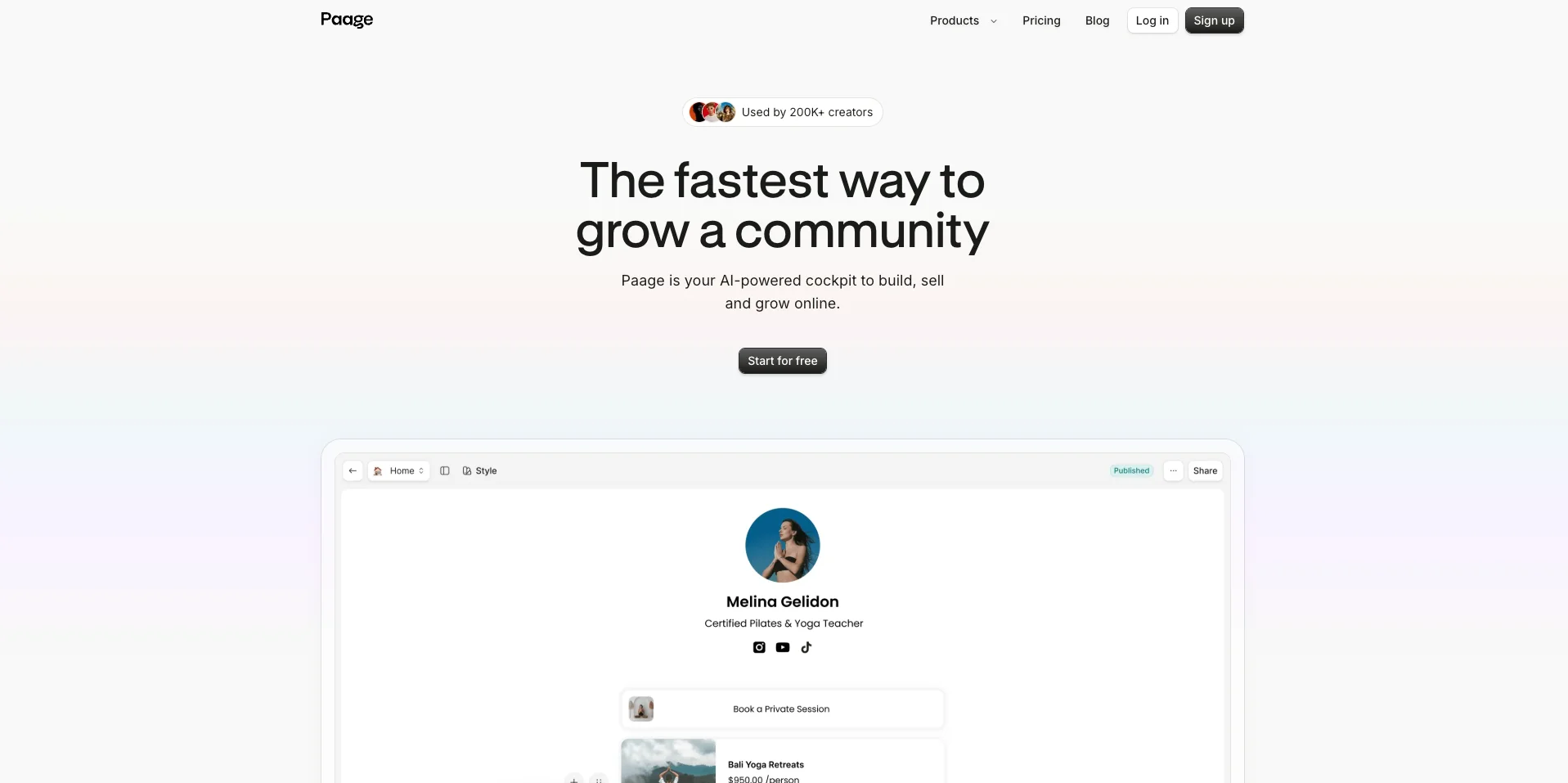
Paage is a link-in-bio page that takes the sale itself: the buyer clicks the link in your bio and pays on the same page.
One page that sells everything. Your Instagram link in bio on Paage sells digital and physical products, services with a service menu, event tickets and vouchers, with payments through Stripe and/or PayPal and discount codes. Print-on-demand is built in, so you can sell merch with no stock to manage. See everything the Paage shop does.
Your Instagram and TikTok shop, synced. Paage's Instagram and TikTok shop integration syncs your shop catalog and shows products as tags. It's included on the Plus and Pro plans.
Auto-DM, new on Paage. Paage's auto-DM sends a payment link, a product link or a message when someone:
- sends you a message,
- comments a keyword,
- replies to a story,
- follows you.
It's available on every plan, including Free, with a monthly limit: 1,000 DMs on Free, 1,500 on Basic, 2,500 on Plus and unlimited on Pro.
One contact list. Every visit, sale or booking becomes a contact automatically in your audience, so the people you meet in DMs and the people who buy end up in the same list, ready for your next email with Paage's email marketing.
Paage is used by 200k+ creators. It's free to start, with a platform fee on each sale from 9% on Free down to 1% on Pro, with a $0.50 minimum (see plans and fees).
What to sell on Instagram, and where the sale happens
| What you sell | Where the sale happens on Paage |
|---|---|
| Digital products and downloads | Sell digital products and downloads from your page. |
| Physical products and merch | Your Paage shop, with print-on-demand through Printiverse if you don't want to hold stock. |
| Services and bookings | Appointments: a service menu, paid bookings on the Free plan, session packages, reminders and deposits. |
| Events and tickets | Event ticketing: free and paid tickets, with QR check-in at the door. |
Vouchers and gift cards sell from the same page. Whatever you sell, the link in your bio and the link in your DMs can point to the same place.
What selling on Instagram costs
Instagram doesn't process payments any more, so it doesn't take a cut of your sales. What you pay is the cost of your checkout: the platform's fee, plus payment processing.
On Paage, the platform fee is 9% of each paid sale on Free and Basic, 3% on Plus and 1% on Pro, with a minimum of $0.50 per transaction; Stripe or PayPal processing comes on top.
Example: on a $60 sale, Paage's fee is $5.40 on Free and Basic (9% of $60), $1.80 on Plus (3%) and $0.60 on Pro (1%), before card processing.
A simple way to start selling on Instagram this week
- Pick one offer. One product, service or event, with a clear price.
- Set up the page. Create your Instagram link in bio with that offer at the top.
- Connect Instagram. Put the page in your bio and connect your account for auto-DM.
- Set one keyword and one DM. For example, "Comment SHOP" sends the link to your offer.
- Post and measure. Publish a post or Reel with that keyword, then look at the comments, the DMs sent and the sales, and adjust the next post.
Mistakes to avoid
- Selling in every format at once. Start with one offer and one call to action; add the next once the first one sells.
- An unclear bio link. If the page opens on ten equal links, the buyer doesn't know where to click. Put the main offer first.
- Slow replies. A buyer with a question is ready to buy now. Automate the common answers so nobody waits.
- No follow-up. Someone who asked and didn't buy may just need a reminder.
- Hiding price and delivery details. Say what it costs and how the buyer gets it, before they have to ask.