Emailing | Build an Email List
How to Build an Email List From Your Link in Bio
 Jean Ronin
Your followers live on a platform you don't control. An email list is an audience you can reach directly, whenever you have something to say. The catch: following you doesn't put anyone on your list. Only a sign-up does.
This guide shows how to build an email list from the place your followers already click: your link in bio. Where to put the sign-up, what to offer so people join, what happens to the contacts, and how to send your first campaign.
Followers aren't subscribers: why the sign-up has to come first
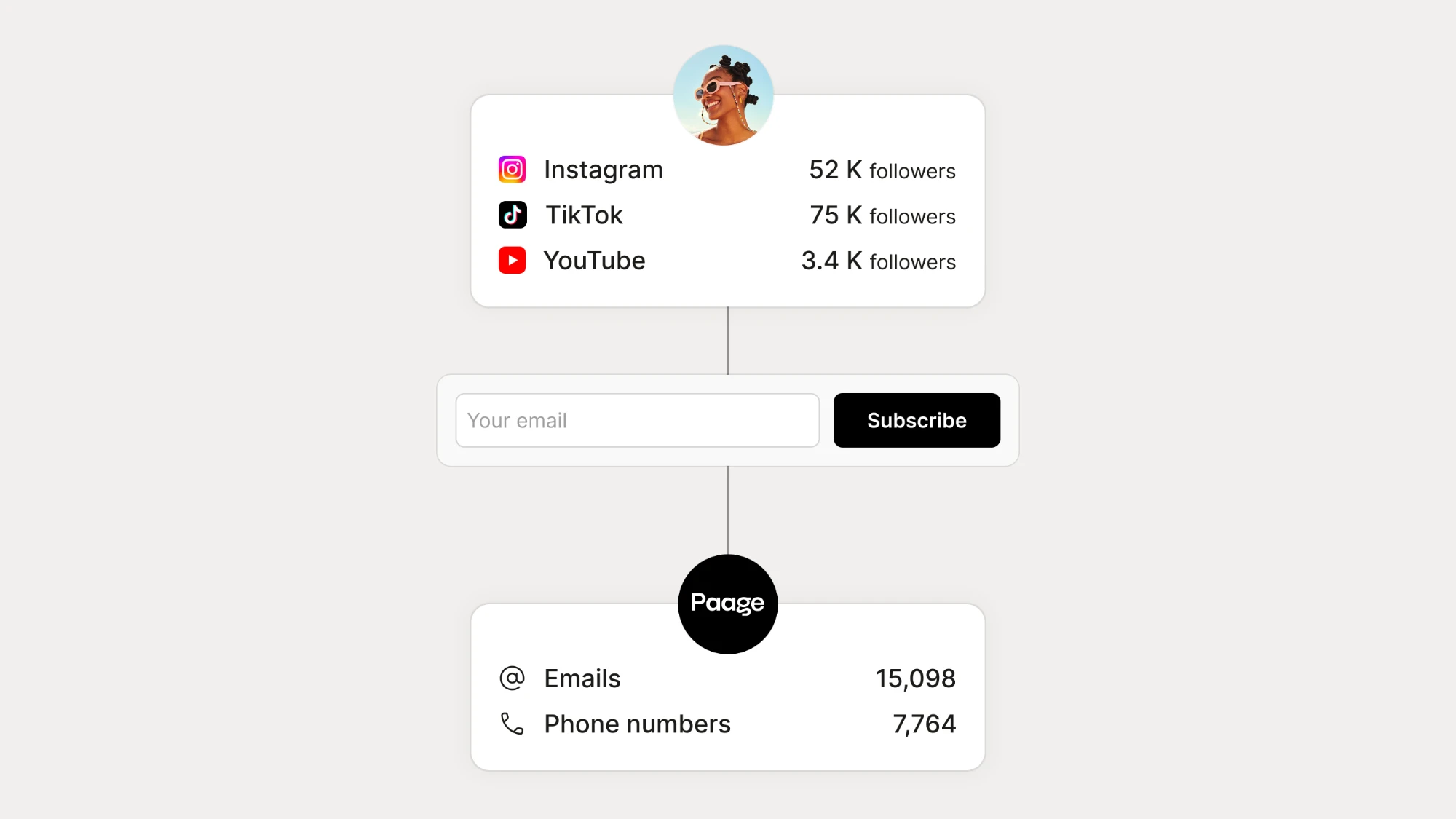
A follower and a subscriber are two different people, even when they're the same person.
- A follower tapped "Follow". You get no email address, and you reach them only when the platform decides to show them your post.
- A subscriber chose to give you their email address and agreed to hear from you. You can write to them directly.
So there's no shortcut from one to the other: you can't email your Instagram or TikTok followers. What you can do is invite them to subscribe. Everything in this guide is about that invitation.
It also sets the rule for the sign-up itself: say what people will receive and how often, before they sign up. "A monthly email with my new prints and studio news" tells them what they're agreeing to. A bare "Subscribe" button doesn't.
Why your link in bio is the place for the sign-up
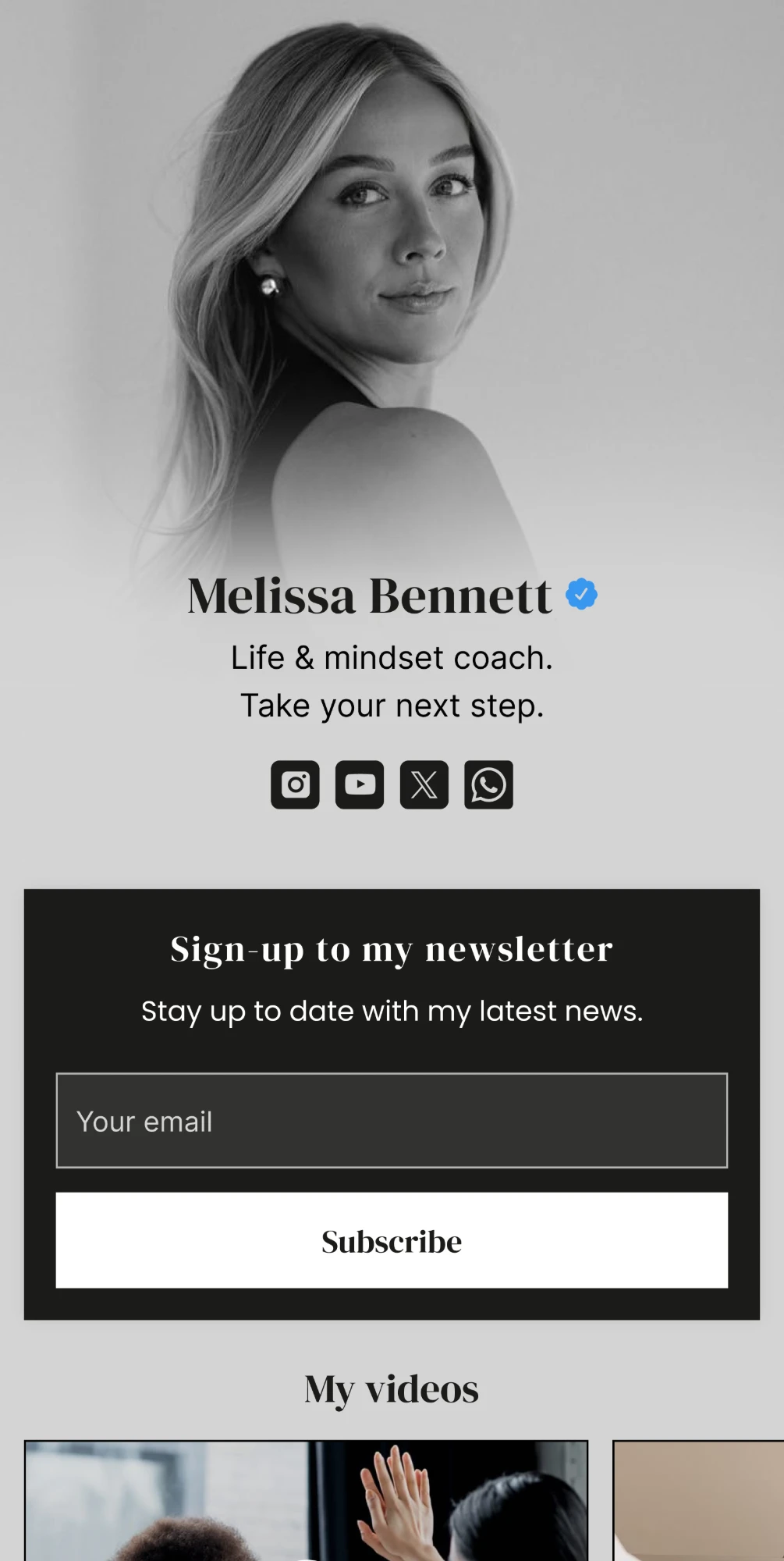
Your bio link is where a follower who wants more from you goes. If you're not sure how it works, start with what a link in bio is.
Instagram lets you add up to 5 links to your profile. One of them can lead to your sign-up. Better still, the page behind your main link can hold the sign-up next to everything else you share, so nobody has to pick between "see my work" and "join my list".
Then send people there. Every post, story and video that ends with "link in bio" is a chance to invite someone onto your list.
What to check before you choose where the sign-up lives
Wherever the sign-up ends up, check these five things:
- It's visible without scrolling. The sign-up shows on the first screen, not under twenty links.
- It works on a phone. Your visitors come from a social app, so they're on their phone. Fill in the form yourself on yours.
- It says what people get and how often. That's the consent part: people know what they signed up for.
- You can see what happens after someone submits. Do they get a welcome email? Where is the new contact stored?
- The contacts are yours to email from the same tool. If every new subscriber has to be exported and imported somewhere else before you can write to them, the list will go stale.
If you're comparing newsletter tools, see our comparison of email newsletter platforms for creators.
Build your email list on Paage: set up the sign-up
On Paage, visitors subscribe right from your link in bio. You collect emails in one of two ways:
- A sign-up block on your link in bio. It sits on the page your followers already open, next to your links, your shop and your bookings. Put it high on the page.
- A dedicated sign-up page, when you want a page that does only that: build it as a one-page site and link to it.
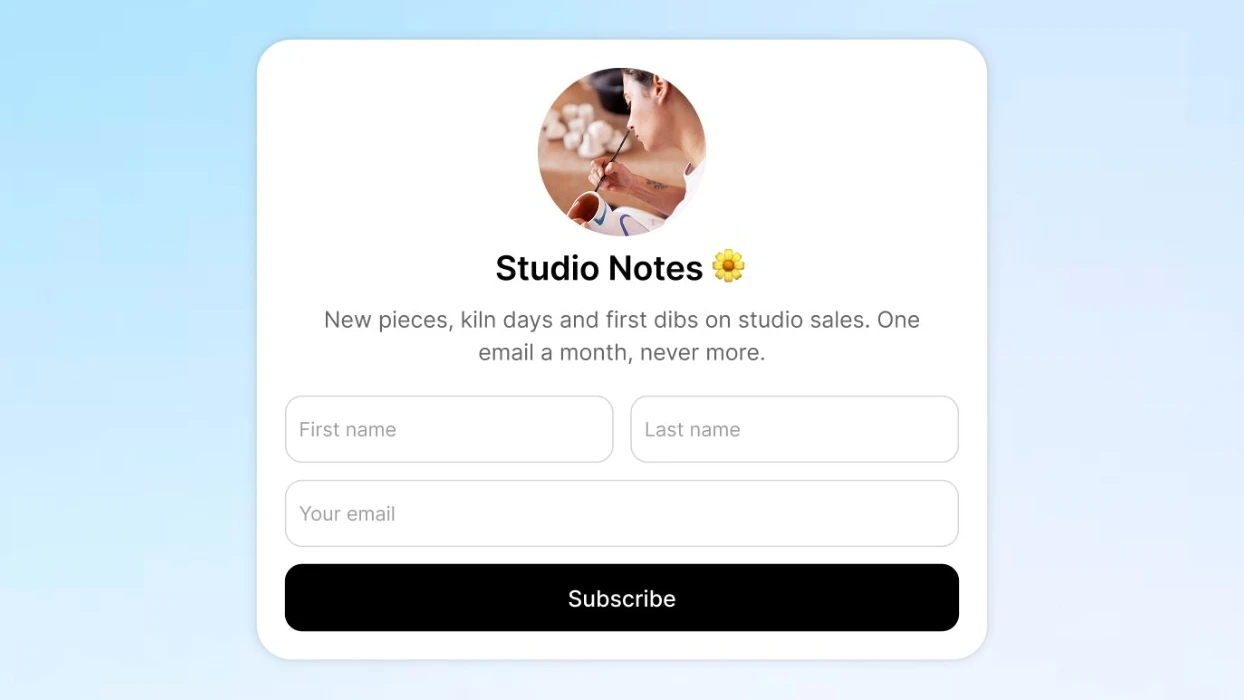
The newsletter sign-up form is included on the Free plan, along with 250 contacts and 250 emails a month (see pricing). 200,000+ creators use Paage.
Create your free Paage and add the sign-up block first.
If you want the whole page designed around the sign-up, see how to make a custom link in bio landing page.
Give people a reason to join
"Join my newsletter" isn't a reason. Tell people what they get:
- Behind the scenes: how you make your work, what you're preparing.
- Early access: drops, dates or booking slots before everyone else.
- Tips they can use, in your field.
- A first look at new products.
Then say how often: weekly, monthly, only when there's news. And keep the form short: an email address is enough.
Offer a free download. A guide, a checklist or a preset, in exchange for an email address. On Paage this works from your page: say what the download is and that it arrives once they give their email. If you later want to charge for files like these, see how to sell digital products.
Where your contacts go: one list for subscribers, buyers and clients
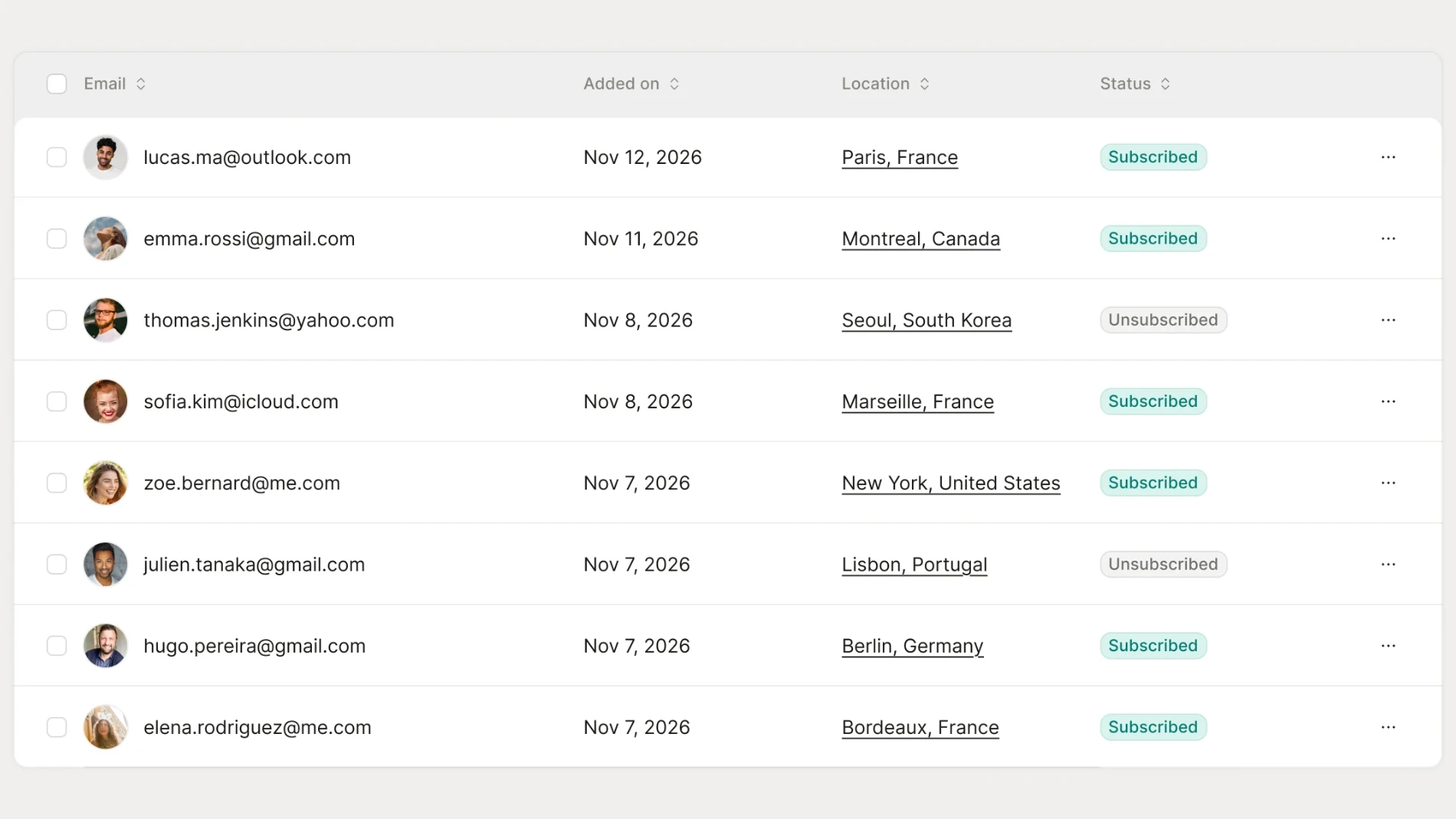
On Paage, every sign-up, sale and booking is saved to your Audience, with emails and phone numbers. Your subscribers don't sit in one tool and your customers in another: someone who bought a product or booked a session joins the same contacts as someone who signed up for your newsletter.
That means your list grows from your sales too, not only from the sign-up block.
To organise it, you have two kinds of lists:
- Static lists: you group contacts by hand.
- Dynamic lists: you set rules and the list updates on its own, like everyone who bought a product or booked this month.
Send your first email campaign to your subscribers
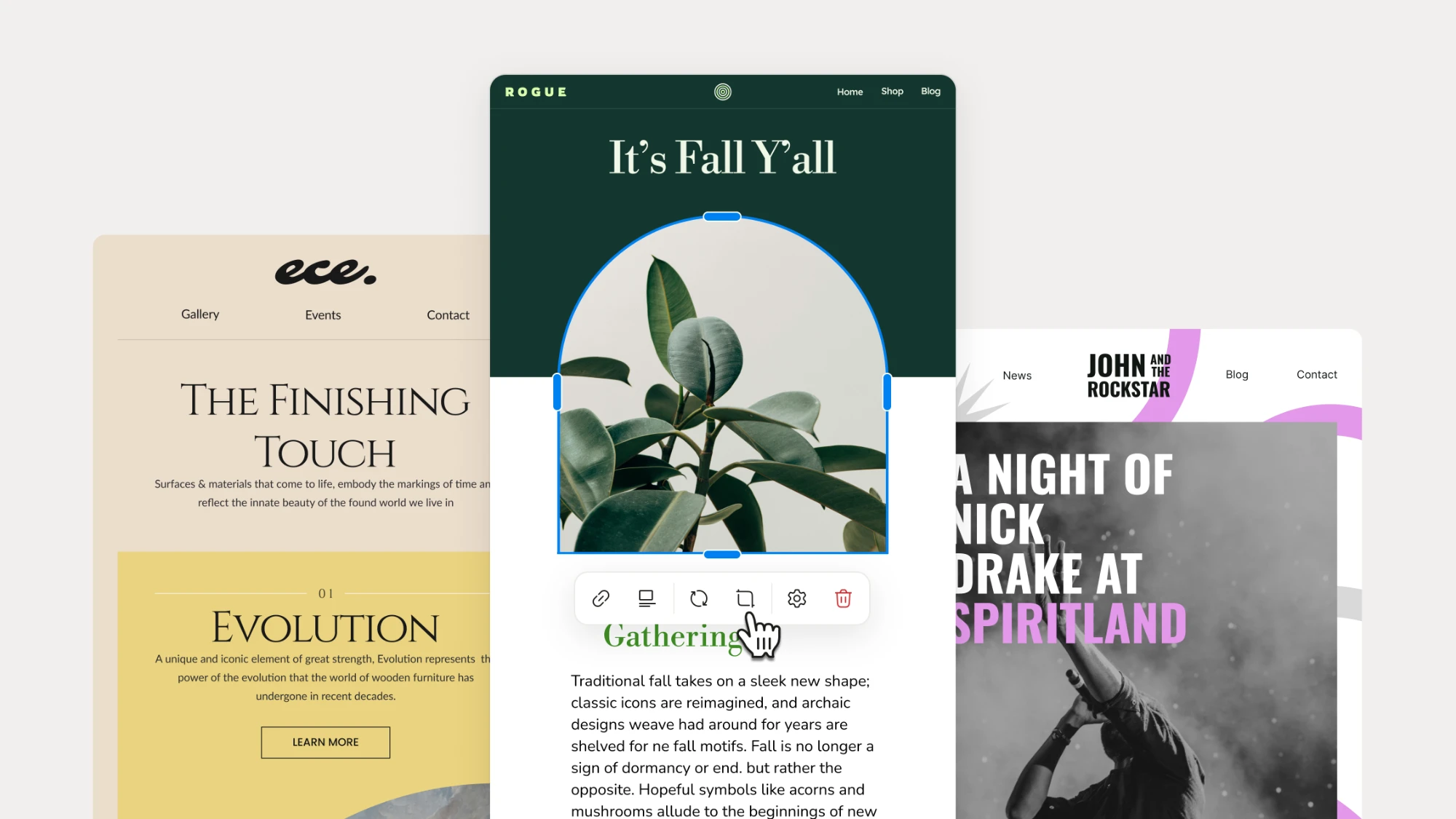
This is how you reach the people you met on Instagram: you email those who signed up through your bio, not your followers.
- Pick a template, then change the text, colors and images.
- Write it yourself, or describe the email you want and let AI draft it for you.
- Preview it to see how the email will look before you send it.
- Send it to your whole audience or to one list.
- Check opens and clicks on the email afterwards.
You can also send from your own address, like hello@yourbrand.com. Everything happens in Paage's email marketing, the same tool that collected the sign-ups.
Automate the follow-up
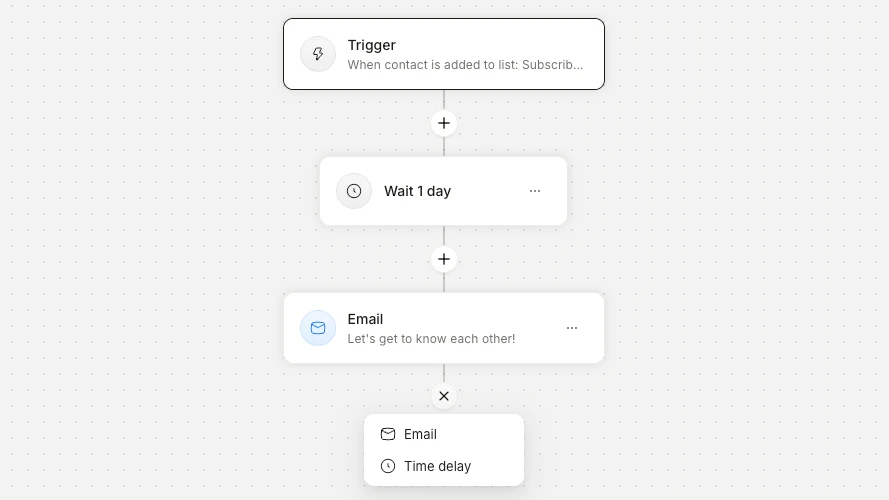
Some emails should go out on their own. With workflows, an email starts from something that happens on your Paage: a sign-up, a purchase or a booking.
- Welcome new subscribers as soon as they join.
- Follow up after each session with a client.
- Ask for a review once an order is done.
Workflow automations are part of the Pro plan (see pricing).
Send the sign-up link by Instagram DM, automatically
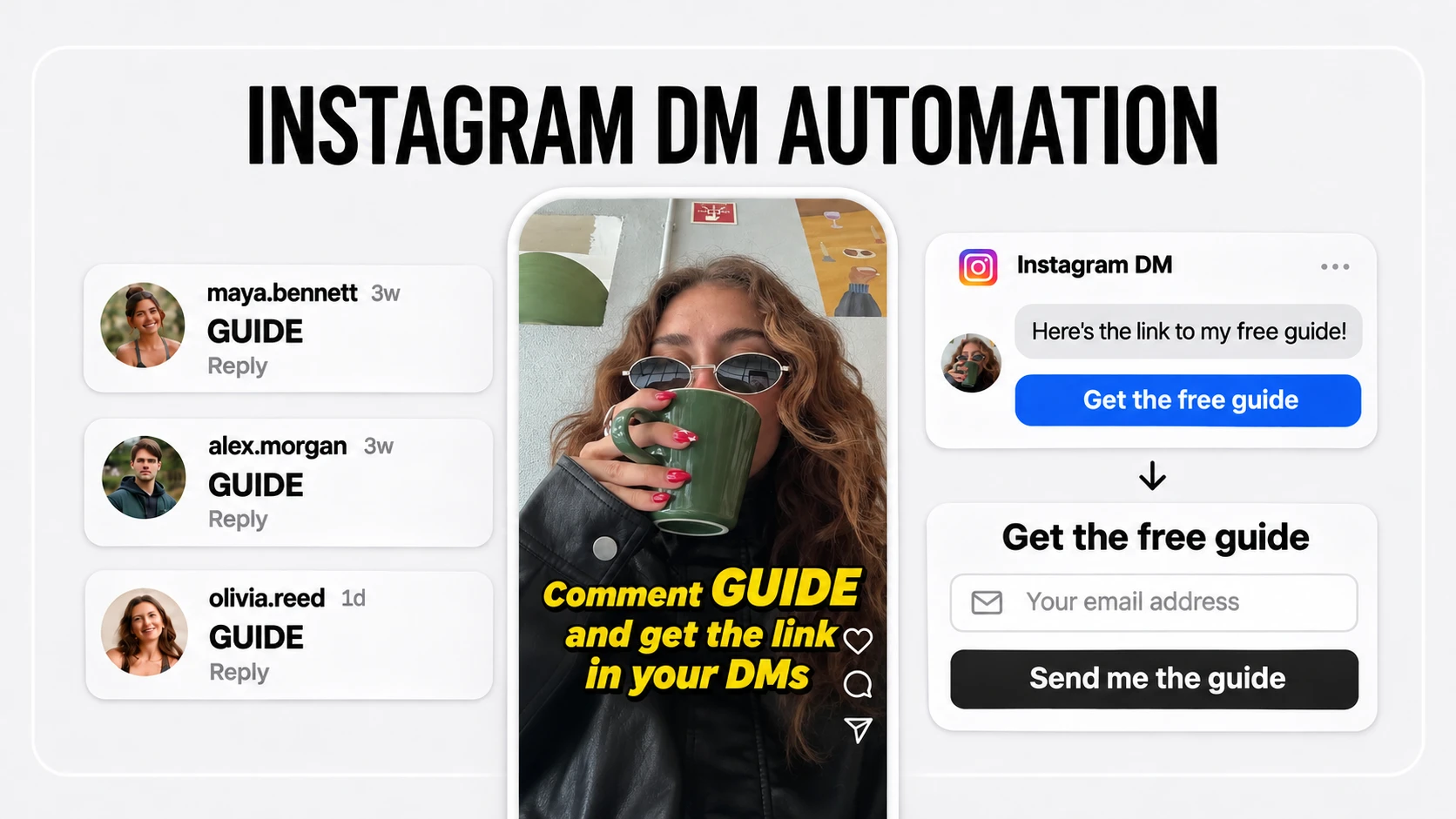
People already talk to you in your comments and DMs. Paage's Instagram auto-DM replies for you when someone sends a message, comments a keyword, replies to a story or follows you, and it can send a link. Point it to your sign-up or your free download.
Example: a post ends with "Comment GUIDE and get the link in your DMs". Everyone who comments GUIDE receives the link to your free guide, and gives their email there to get it.
The DM sends the link; it doesn't add anyone to your list. The person still signs up themselves, which keeps your list made of people who asked to hear from you.
Auto-DM is included on every plan, with a monthly limit: 1,000 on Free, 1,500 on Basic, 2,500 on Plus, unlimited on Pro.
Grow the list after day one
- Mention the sign-up in every post where it fits, with the reason to join, not just "link in bio".
- Pin a post about it on your profile.
- Add the link to every profile you have: your Instagram link in bio, your TikTok link in bio, your YouTube link in bio.
- Collect emails when people buy or book. On Paage, buyers and clients join your Audience automatically.
- Keep sending on a regular rhythm, the one you promised in your sign-up.
A list is built one sign-up at a time. Start with one block on your link in bio and one clear reason to join.