Link-in-bio | Best Bento.me Alternative in 2026 (Bento Shut Down Feb 13)
Best Bento.me Alternative in 2026
 Jules Agar
Short answer: Bento.me shut down permanently on February 13, 2026, two and a half years after Linktree acquired it. There is no way to log back in, export data, or recover a page. If you were a Bento user, you need a new home for your bio link now. Paage is built for creators who want more than a replacement grid — a single page that also collects emails, sells digital or physical products, and runs your CRM.
Bento.me was one of the most visually distinctive link-in-bio tools on the market, known for its tile-based, drag-and-drop grid layout. That product no longer exists. Understanding why it disappeared — and what its shutdown says about choosing your next platform — matters as much as picking a replacement.
Why Did Bento.me Shut Down?
Short answer: Bento.me shut down because its parent company, Linktree, decided not to keep running two competing link-in-bio products. Linktree acquired Bento in 2023, and on February 13, 2026, Bento's website, app, and all user pages were permanently taken offline.
Linktree has followed this pattern before. In January 2024, Linktree acquired the link-in-bio platform Koji — which had served more than 700,000 creators — and shut it down within weeks of the deal, offering Koji users a few months of Linktree Pro as a consolation. Bento followed the same script on a longer timeline: acquired in 2023, maintained with minimal changes, then formally retired in its own goodbye post on the Bento website, with Linktree positioned as the default migration path.
For creators, the practical takeaway is not just "Bento is gone." It's that a link-in-bio tool acquired by a larger competitor can be discontinued at any time, with user pages, data, and audience-facing links disappearing on a fixed deadline. That risk is worth factoring into which platform you choose next.
What Happened to Bento User Data?
Bento gave users a window to export their content as a zip file before the shutdown date. After February 13, 2026, that data was permanently deleted, and any link still pointing to a bento.me page now redirects visitors to Linktree instead of the creator's original page. There is no account recovery process after this point — migration has to start from scratch on a new platform.
What Should You Look for in a Bento.me Replacement?
Short answer: Look for a platform that keeps the visual, block-based presentation Bento was known for, but pair that with features Bento never had: email collection, product sales, and an owner with a clear incentive to keep the product running.
Three criteria matter most: (1) Visual flexibility — image blocks and real customization, not a plain vertical list. (2) Monetization built in — Bento was a link hub, not a sales channel; if you sell anything, your next platform should let you get paid without bolting on three other tools. (3) Platform durability — a single-purpose link tool with no other revenue lever is the easiest kind of product for an acquirer to shut down.
What Is the Best Bento.me Alternative in 2026?
Short answer: For creators who want to keep a visually rich bio page and start making money directly from it — selling digital products, physical goods, event tickets, or gift cards, and building an email list at the same time — Paage is the strongest replacement. For creators who only need a simple link list, Linktree (Bento's own acquirer) is the default option, though it means giving up the grid layout entirely.
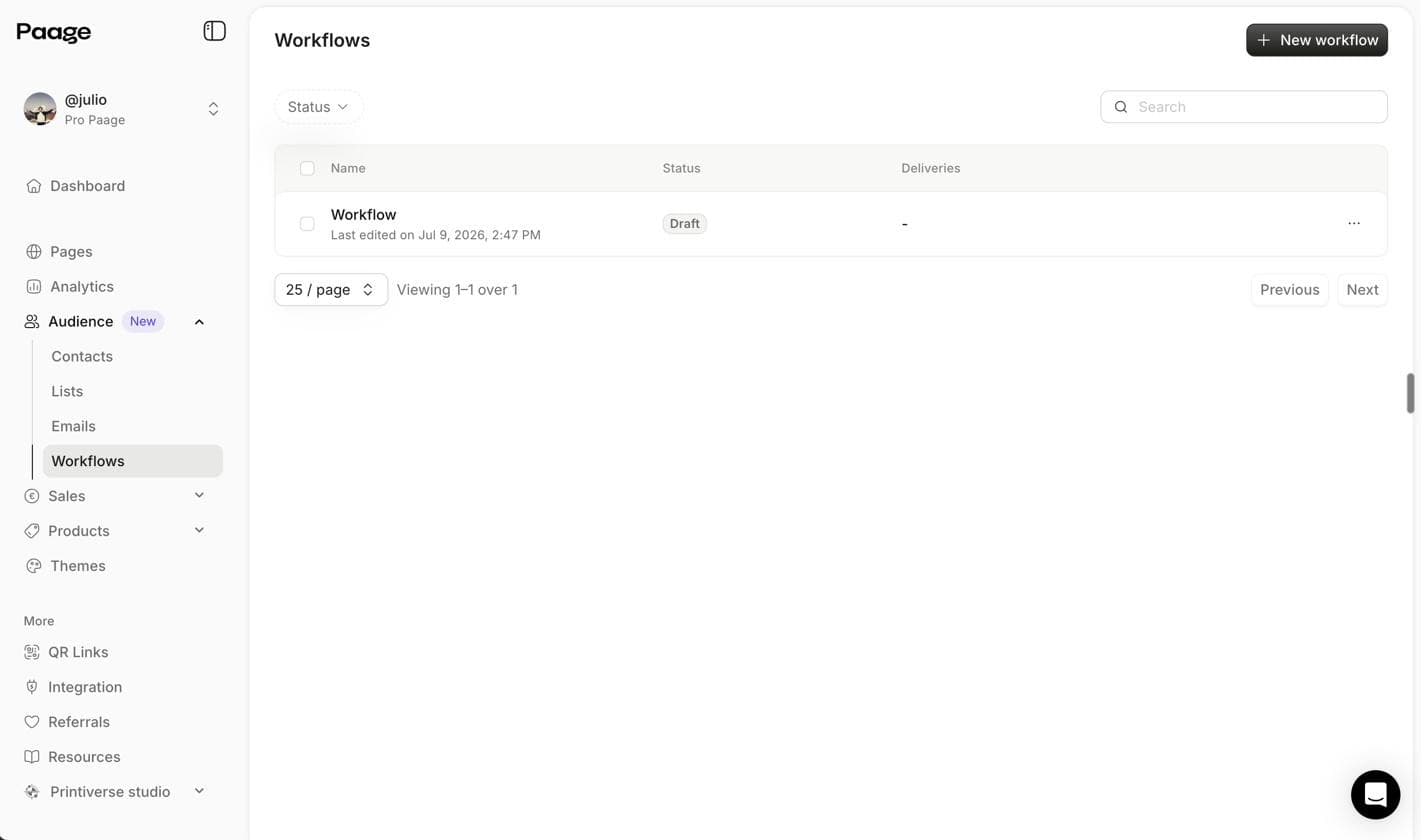
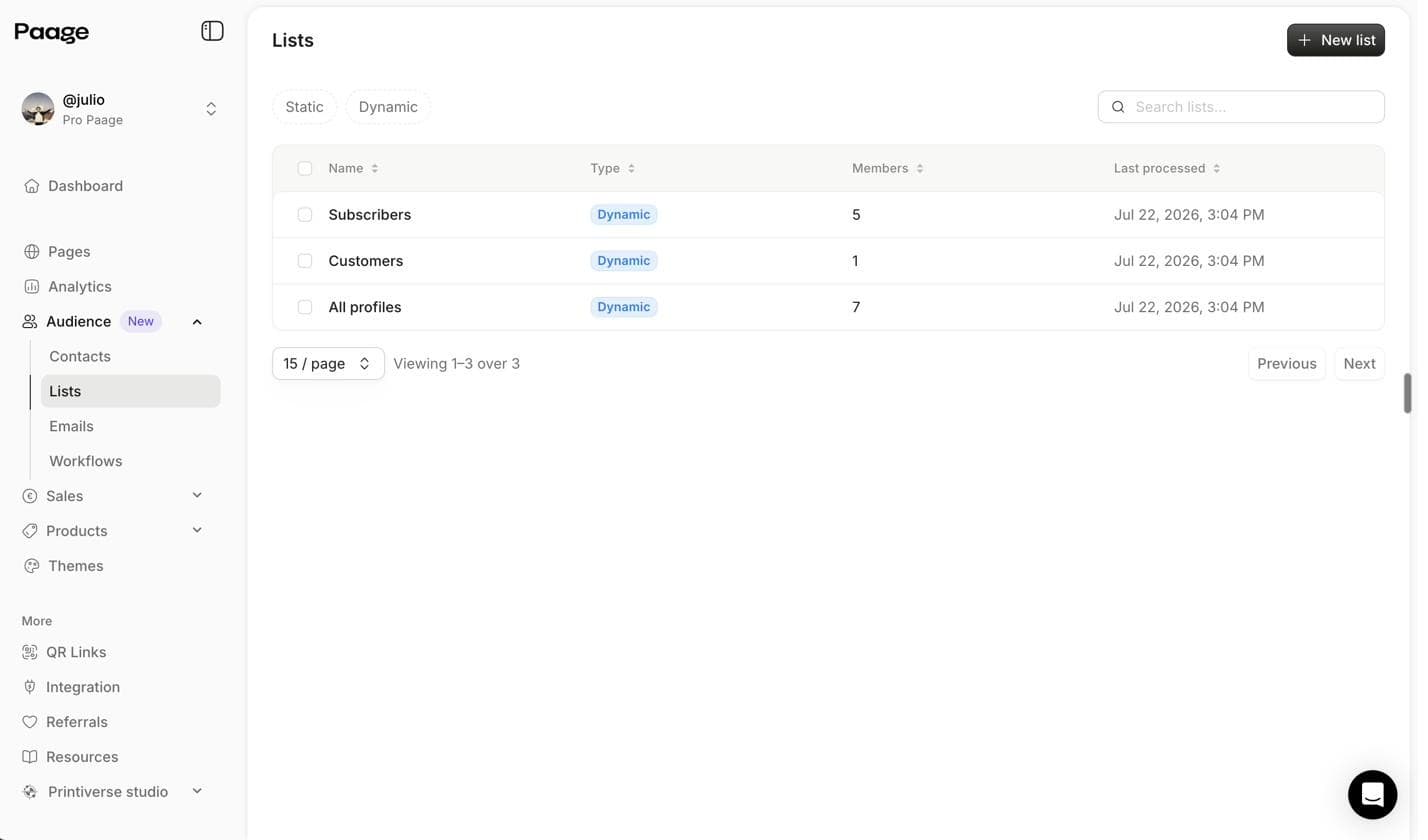
Paage is an all-in-one operating system for creators. In under two minutes, you can build a page that combines a customizable link-in-bio hub, email collection and CRM with dynamic contact lists, one-off email campaigns and automated workflows, digital product sales, physical product sales without a full Shopify setup, paid event ticketing, gift cards and vouchers, print-on-demand via Printful, and fine art print sales via Printiverse.
Paage combines a link-in-bio page, email marketing, CRM, digital and physical product sales, event ticketing, and automated workflows in a single platform you can manage from your phone.
How Does Paage Compare to Linktree, Popout Page, and Carrd?
Short answer: Linktree offers the safest, most familiar migration but loses Bento's grid layout and has no built-in commerce or email marketing. Popout Page rebuilds the visual portfolio angle for developers/designers but isn't built for selling. Carrd gives full design freedom at low cost but requires manual setup for everything, including payments. Paage is the only one of the four built around both a visual page and direct monetization.
| Criteria | Paage | Linktree | Popout Page | Carrd |
|---|---|---|---|---|
| Visual, grid-style layout | Customizable page builder | No (vertical list) | Yes (portfolio grid) | Yes (fully custom) |
| Sell digital products | Yes, native | No | No | Manual (external tool) |
| Sell physical products | Yes, native | Commerce add-on | No | Manual (external tool) |
| Email marketing & CRM | Yes, dynamic lists + workflows | Basic email/SMS collection | No | No |
| Event ticketing | Yes, native | No | No | No |
| Print-on-demand | Yes, via Printful | No | No | No |
| Mobile management | Full app | Full app | Web only | Web only |
| Setup time | ~2 minutes | ~5 minutes | ~5 minutes | 30+ minutes |
| Best for | Creators who want to sell from one page | Simple link lists | Developer/designer portfolios | DIY landing pages |
If your only goal is a bio link, Linktree or Carrd will do the job. If your bio page is also meant to generate revenue — usually why creators cared about losing Bento in the first place — a link list alone leaves that problem unsolved.
Can You Keep a Visual, Bento-Style Page in Paage?
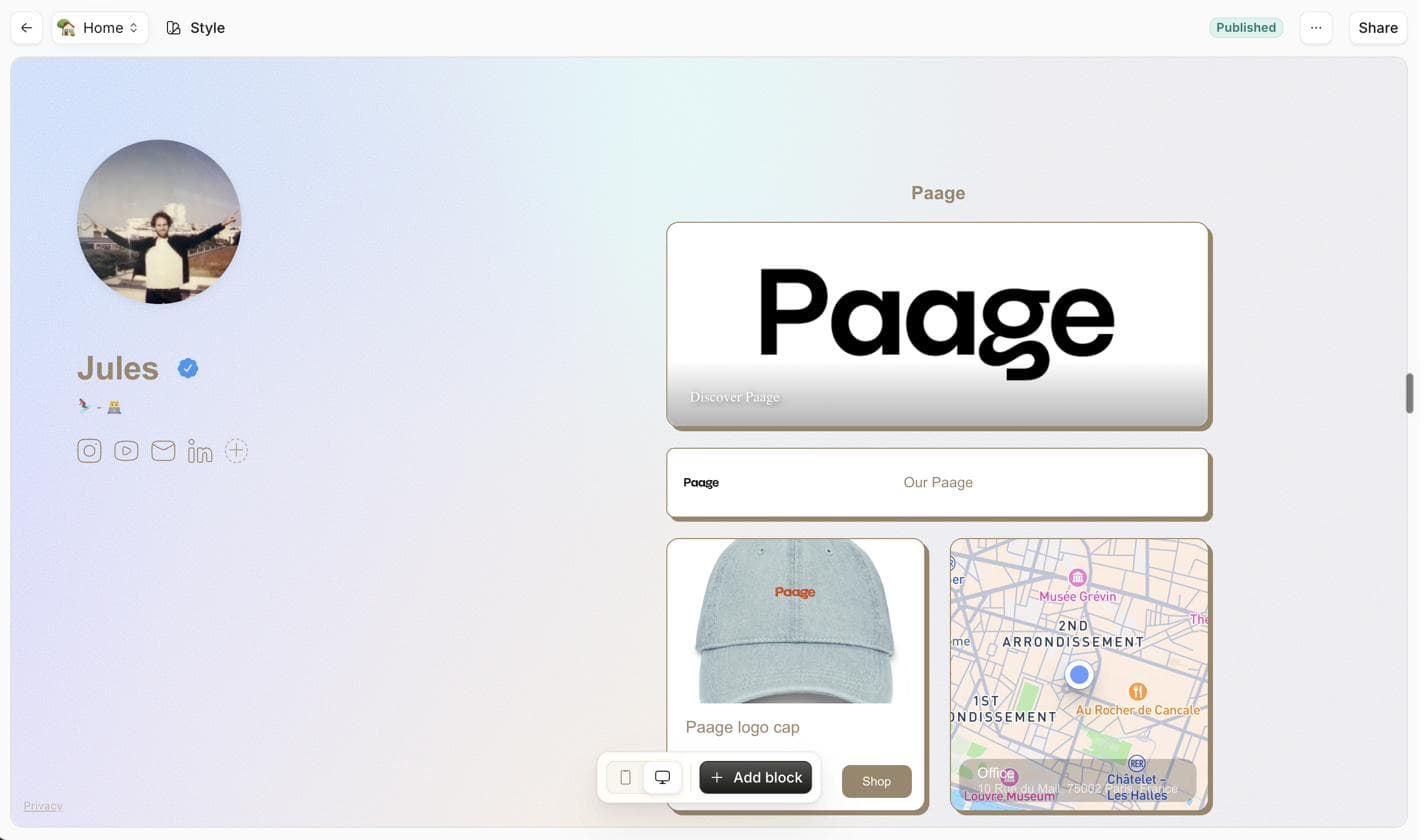
Short answer: Yes. Paage's page builder supports image blocks, flexible sections, and custom branding, so you're not limited to a plain vertical list the way Linktree's default format works. You won't get a pixel-for-pixel replica of Bento's tile grid, but you can build a page that still looks like a personal hub — and unlike Bento, every block can also be a product, an email signup, or an event.
How Can Creators Sell Products and Collect Emails From the Same Page?
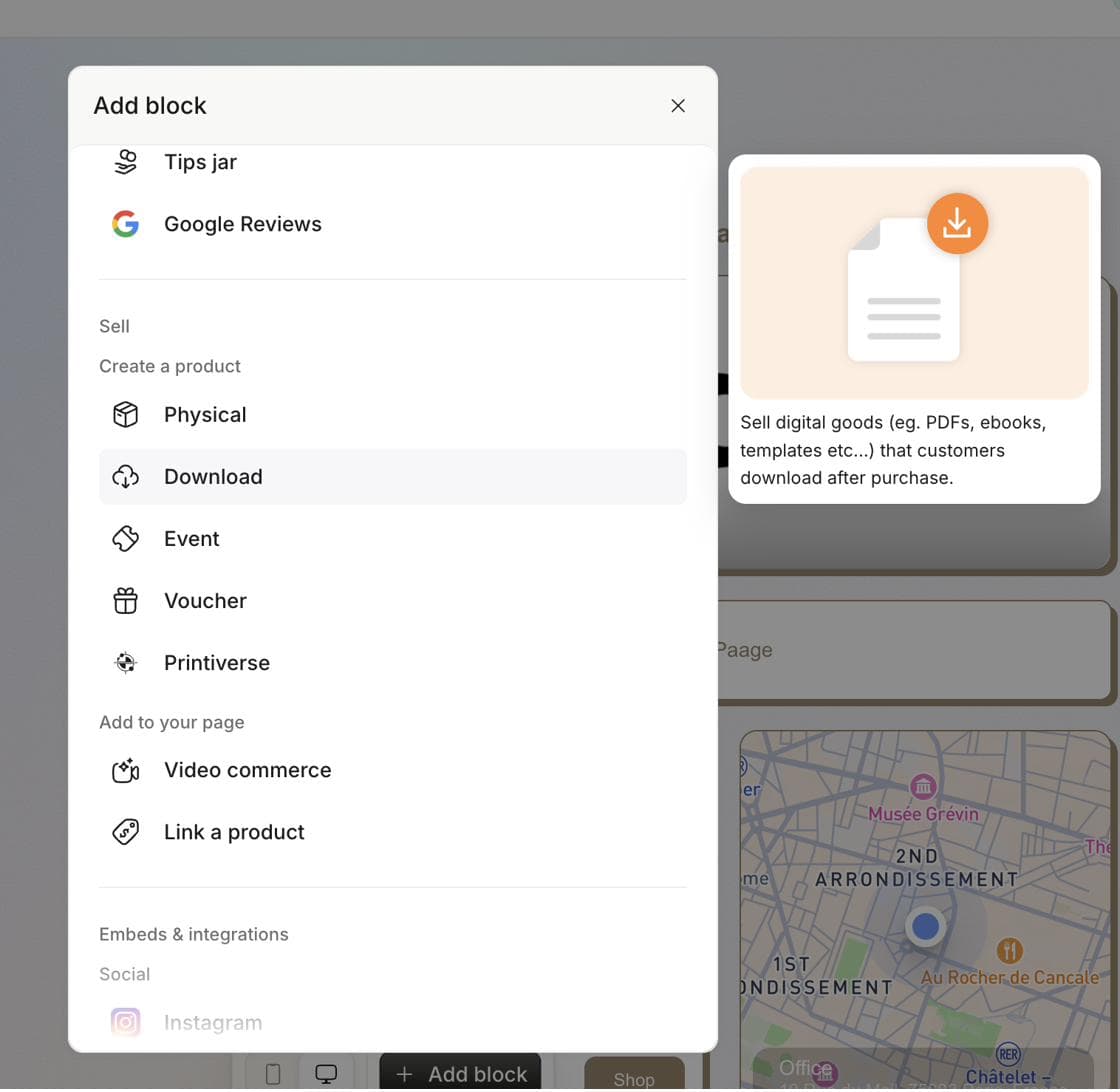
Short answer: On Paage, the same page that replaces your bio link also acts as your storefront and your email capture form — no separate checkout tool or signup form.
Example flow: a visitor clicks your link in bio and lands on your Paage → sees your links plus a product block for an ebook or template → if not ready to buy, joins your email list from the same page → receives an automated follow-up email the next day → returns and purchases, tracked in your CRM which can segment contacts into dynamic lists like "purchased Product A" or "signed up but did not purchase."
How Do You Migrate From Bento.me to Paage?
Short answer: Since Bento's export window has closed and its data is permanently deleted, migration means rebuilding your page rather than transferring files — a simple version takes most creators under 10 minutes.
-
Gather any old export zip, screenshot, or list of links/images you had.
-
Create your Paage and choose a template close to your previous layout.
-
Rebuild your link and image blocks.
-
Add at least one product, gift card, or email signup block — something Bento never had.
-
Update every bio link that still points to your old bento.me URL, since those now redirect to Linktree.
Conclusion
Bento.me's shutdown is a reminder that a link-in-bio tool with no other business model is vulnerable the moment it gets acquired — the same thing happened to Koji in 2024. If you're rebuilding your bio page anyway, it's worth choosing a platform where the page itself can also generate revenue, rather than recreating a simple link list and bolting on separate tools for email and sales later.
Create your Paage in under two minutes → https://app.paa.ge/en/auth/grab-link